Many people experience Lenovo for the first time through a presentation, an email, or a piece of printed correspondence.
These moments set the tone for how our brand is perceived — they shape how Lenovo is understood and remembered.
Our templates help you create communications that feel clear, consistent, and confidently Lenovo, whether you’re building a keynote, sending an update, or producing branded stationery.
Download templates
Important note: Brand assets, sonic or visual, cannot be used to train AI models as they are not licensed for that particular use.
PowerPoint templates
Our presentation templates are designed to support a wide range of content needs.
The corporate templates come preloaded in the Microsoft PowerPoint application installed on Lenovo employee devices, making it easy to start any presentation with an on-brand foundation.
To access the Lenovo corporate templates:
- Open PowerPoint and select New in the left column. If a presentation is already open, go to File > New.
- Select More themes.
- Choose the Lenovo starter template to begin a new presentation.
- Open the Lenovo slide library for layout examples and design resources.
If you’re unsure which template is right for your presentation, your business unit or function can point you in the right direction.
Microsoft Office themes
Keep your charts, colors, and formatting sharp and consistent by installing the Lenovo Microsoft theme and template files. They help your slides look aligned, polished, and unmistakably Lenovo.
Lenovo starter template
Updated: January 2026
This is your go-to template for any presentation with Lenovo internal, confidential, or unclassified content.
Note: We’ve significantly reduced the file size to make storing and sharing your deck a little easier.

Lenovo slide library
Updated: January 2026
An expanded library featuring a wide range of slide layouts, background images, colors, and graphics to help you build a presentation that’s clear, engaging, and on-brand.

Lenovo PowerPoint toolkit
Updated: March 2024
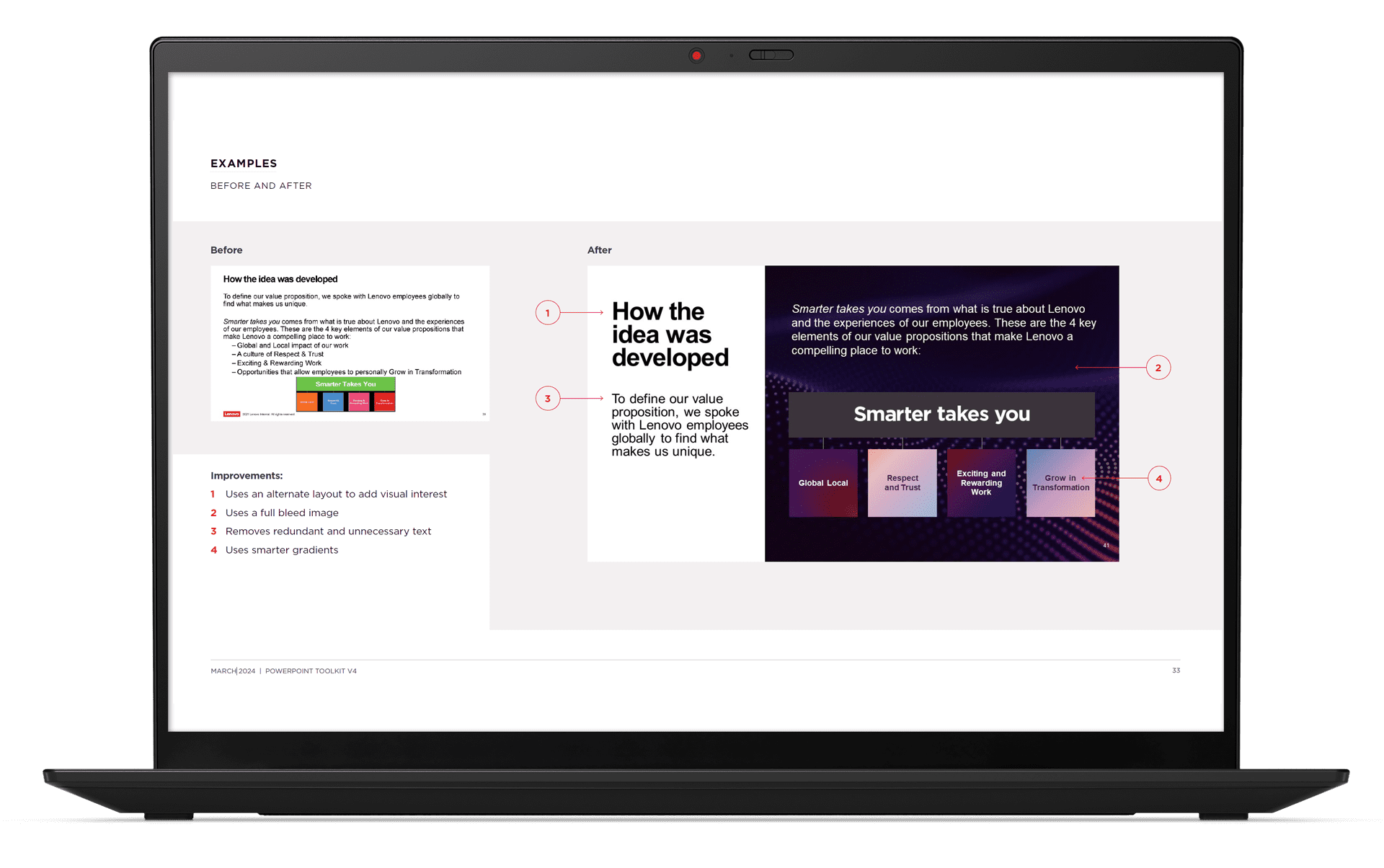
This training deck and toolkit covers best practices for creating on-brand presentations, along with formatting tips, before-and-after examples, and guidance on building accessible slide content.
Email resources
Email signatures
Our email signature tool helps you create a clean, branded signature that reflects our identity and partnerships — a simple way to show Lenovo pride in every communication.

Email banners
Bring energy and clarity to your emails with custom Lenovo banners.
Use the email banner generator to quickly create a banner from preloaded, brand-approved imagery, or use the PowerPoint banner builder to design something more tailored from your desktop. Both options help you create a polished, on-brand banner you can add to any communication.
For instructions and access to both banner builders, download the email toolkit near the top of this page.

Email templates
Need a clean layout for an announcement or newsletter? Our email templates are designed for easy reading on both desktop and mobile — just open a template, add your content, and you’re ready to send.
If you want a custom banner, use the email banner builder to create one that fits your message.
To keep your email accessible, avoid image-only layouts. Always use real text so screen readers can communicate your message clearly.

Stationery
Guidance and printing
Bring your everyday communications to life with Lenovo-branded stationery.
Our stationery guidance provides everything you need to create and print letterhead, envelopes, and business cards that align with our visual identity — including artwork files, layout specifications, and tips for staying on-brand.
Stationery orders
Order Lenovo business cards, letterhead, and envelopes through the links below:
Lenovo stationery – US and Canadian orders
Note: If you already have an existing Lenovo Stationery account, you’ll need a separate username and password for ISG.
Lenovo stationery – EMEA orders
Other markets: For regions outside North America and EMEA, download the stationery guidelines and business card templates, then partner with a local print vendor to produce your materials.

Word templates
Digital variations
Digital templates include the Lenovo logo and are available in both A4 and 8.5×11. Templates include:
- Lenovo letterheads
- General document templates
- Executive bios
- Press releases
- Fax cover sheets
- Mailing labels
Preprinted letterhead variations
Use these templates only when printing on professionally preprinted letterhead (logo not included in the file).
Award resources
Badges and certificates
Celebrate achievements across Lenovo with on-brand badges and award certificates. The award badge builder lets you create polished designs using our official visual elements — from color and typography to logo and iconography.
These tools help you quickly create consistent recognition assets for employee milestones, sales programs, development tracks, and training initiatives.
For best practices and usage tips, check the guidance deck. Download links are available near the top of the page.


